Buy PUBG Mobile UC Online in Nigeria
Top up PUBG Mobile UC instantly and grab your favourite skins, emotes and the Royale Pass.
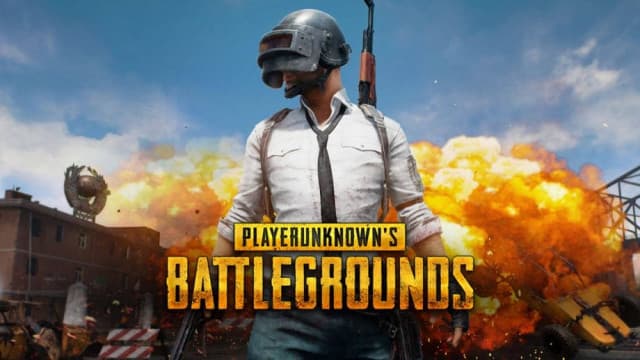
PUBG Mobile UC
What is PUBG Mobile UC?
PUBG Mobile UC (Unknown Cash) is the premium in-game currency you use to buy the Royale Pass, outfits, weapon skins, crates and emotes. With QuickReload, you can top up PUBG Mobile UC instantly and securely in Nigeria. Your UC is delivered straight to your Player ID within seconds of payment.
- Instant delivery directly to your PUBG Mobile Player ID
- Secure payment protected by your QuickReload 4-digit PIN
- No password sharing needed, only your Player ID
- Available 24/7 on web, Android and iOS
Popular PUBG Mobile UC Packages
Choose a package below or pick your exact amount in the app.
Prices are live and updated from your dashboard.
How to Buy PUBG Mobile UC
Four simple steps and your credits are in-game.
Create Account
Register and complete your KYC on web, Android or iOS in under 60 seconds.
Fund Wallet
Add funds with a bank card or direct transfer to your QuickReload wallet.
Enter Player ID
Choose PUBG Mobile, enter your Player ID and pick the UC amount you want.
Confirm & Play
Confirm with your PIN and your UC lands on your account in seconds.
How to Find Your PUBG Mobile Player ID
Not sure where to find your Player ID? Follow these quick steps inside the game.
Top up nowOpen PUBG Mobile
Launch PUBG Mobile and wait for the main lobby screen to load.
Tap your avatar
Tap your character avatar in the top-left corner of the lobby to open your profile.
Copy your Player ID
On your profile page, your Player ID (a numeric ID) is shown next to your name and level. Copy that number.
Enter it during top-up
Paste your Player ID on the QuickReload top-up page and confirm your UC amount.
Troubleshooting
Quick fixes for common top-up issues.
UC not reflecting after payment
UC is usually delivered within seconds to a few minutes. Wait a little, close and reopen the game, then check your balance. If it still hasn't arrived, contact support with your transaction reference.
You entered the wrong Player ID
Contact support immediately with your transaction reference so the top-up can be checked and corrected before the UC is claimed.
Payment debited but no UC
Don't top up again. Reach out to support with your transaction reference and we will resolve it or refund you.
Why Buy PUBG Mobile UC from QuickReload
Instant Delivery
Credits are sent to your player ID within seconds of confirming payment.
PIN Protected
Every purchase is confirmed with your secret 4-digit PIN for full control.
Fair Prices
You see the exact amount before you confirm. No hidden fees.
Frequently Asked Questions
Everything you need to know about buying PUBG Mobile UC online in Nigeria.
UC (Unknown Cash) is PUBG Mobile's premium in-game currency. You use it to buy the Royale Pass, outfits, weapon skins, crates, emotes and other exclusive items.
Yes, when you only provide your Player ID and never your password. QuickReload delivers UC directly to your Player ID and protects every payment with your transaction PIN, so your account stays secure.
Yes. You only need your PUBG Mobile Player ID (the numeric ID on your profile). You never need to share your password or log into your game account through us.
UC is the currency you spend in-game. The Royale Pass is a season pass you buy with UC to unlock ranked rewards, exclusive skins and bonus missions.
UC is delivered instantly once your payment is confirmed, usually within seconds to a few minutes.
Close and reopen the game, then check again. If your UC still hasn't arrived, contact our support team with your transaction reference and we will resolve it or refund you.
Yes. Just enter the recipient's PUBG Mobile Player ID and the UC will be delivered directly to their account.
You pay using your QuickReload wallet balance, which you can fund securely from your bank. Each purchase is confirmed with your transaction PIN.